Explanation:
Some customization of the Cash App Afterpay messaging is available, such as adjusting the style of messaging, mobile view adjustments, hiding messaging from specific product pages, and more.
Below lists the two ways you can add Cash App Afterpay messaging to your website and will determine which steps to take to customize Cash App Afterpay messaging:
Cash App Afterpay On-site Messaging App
Manually Add Cash App Afterpay Site Messaging to Theme
ℹ️ Note: The copy text of Cash App Afterpay messaging and Terms are part of our brand guidelines, and altering them could violate the terms of service or affect your agreement with us. |
Action:
Cash App Afterpay messaging via the On-site Messaging App
Please follow the below steps:
Within Shopify Theme Editor > select Products > then select the Product Template in question that needs customization.
Select the Cash App Afterpay messaging block - this allows you to adjust the style of messaging for any of the following:
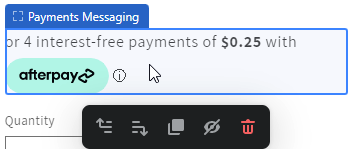
Please keep in mind that Cash App Afterpay messaging works on the product page template level. If you have several different product page templates, then you'll need to add Cash App Afterpay messaging to each one separately.
Cash App Afterpay messaging via Manually Add Cash App Afterpay Site Messaging to Theme
Please follow the below steps:
The Cash App Afterpay messaging code snippet can be accessed and copied from our developer documentation: Manually Add Cash App Afterpay Site Messaging to Theme
Lines of code in the code snippet can be “uncommented” (remove the “//”) and the value edited, which allows you to fine-tune the display of Cash App Afterpay messaging on your store. Some experimentation or testing may be required to ensure the customizations meet your preference.
If unsure how to make the required code changes, it is recommended to involve a developer or technical resource to assist.