Afterpay provides monthly billing statements in the Afterpay app. Your statement date is based on the date you opened your account. For example, if you opened your account on June 15, your statement will be available on or around the 15th of each month.
When your statement is ready, we’ll email you a link to view it in the app. Update the app to the latest version to access your statement.
Statement overview
Your statement organizes information about your account activity and payment history. It includes Pay in 4 or Pay Monthly information, depending on the orders active during the statement period.
For Pay in 4 orders, it summarizes account activity, transactions, and applicable fees. For Pay Monthly orders, it summarizes account activity, transactions, and interest.
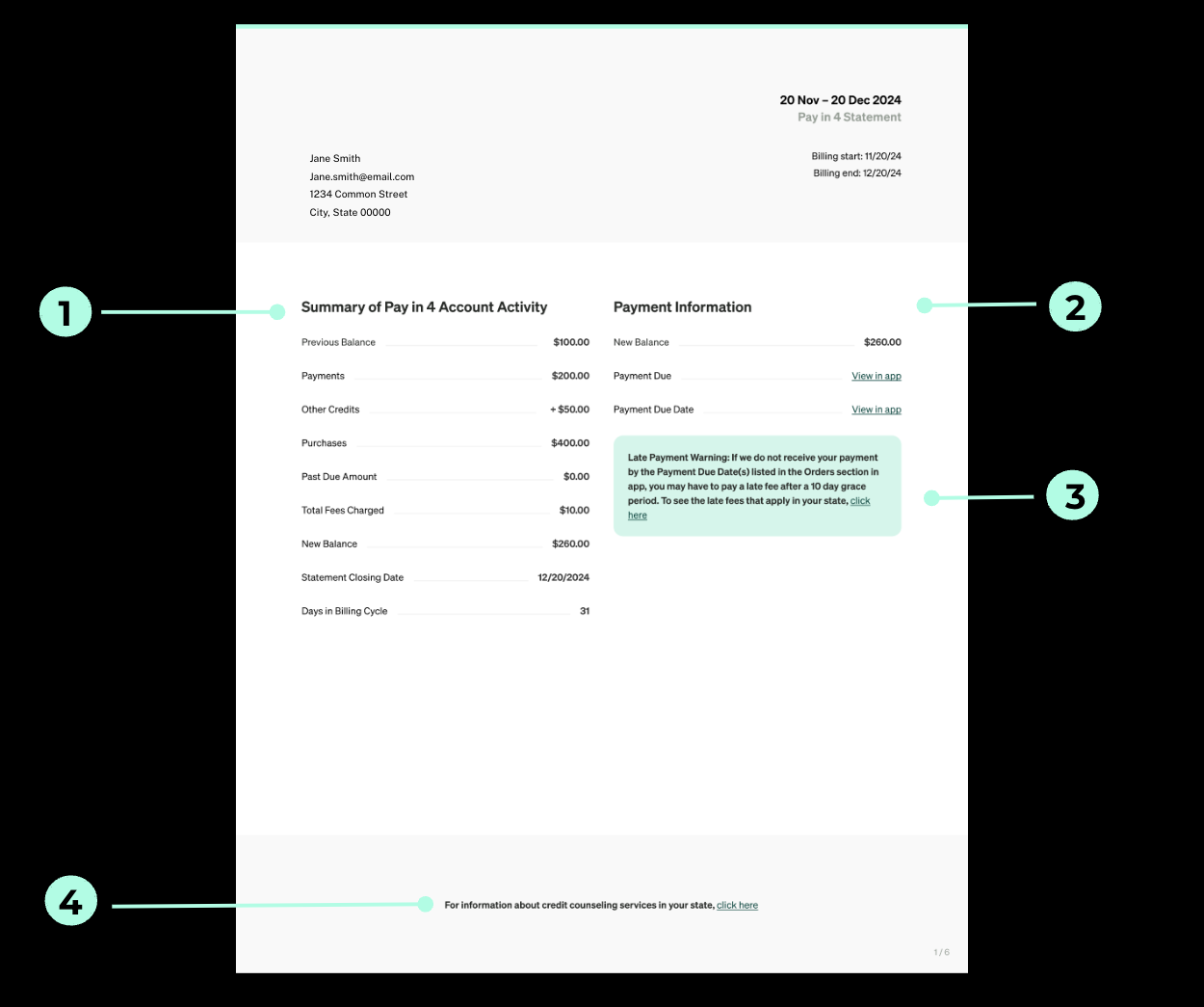
1. Pay in 4 and Pay Monthly account activity
This section shows all credits, debits, and charges during the billing period. This may include orders, payments, refunds, Pay in 4 finance fees or late fees, and Pay Monthly interest.
2. Payment information
This section shows your total balance when the statement was produced and your payment due dates. The due dates link to the Afterpay app, where you can view future payments.
3. Late payment warning
This section shows fees that may result from late Pay in 4 payments.
A late fee may apply if Afterpay doesn’t receive all or part of a required payment within 10 days after its scheduled due date.
4. Credit counseling services
This section provides information about credit counseling services in your state if you’re concerned about meeting your payment obligations.
Transactions
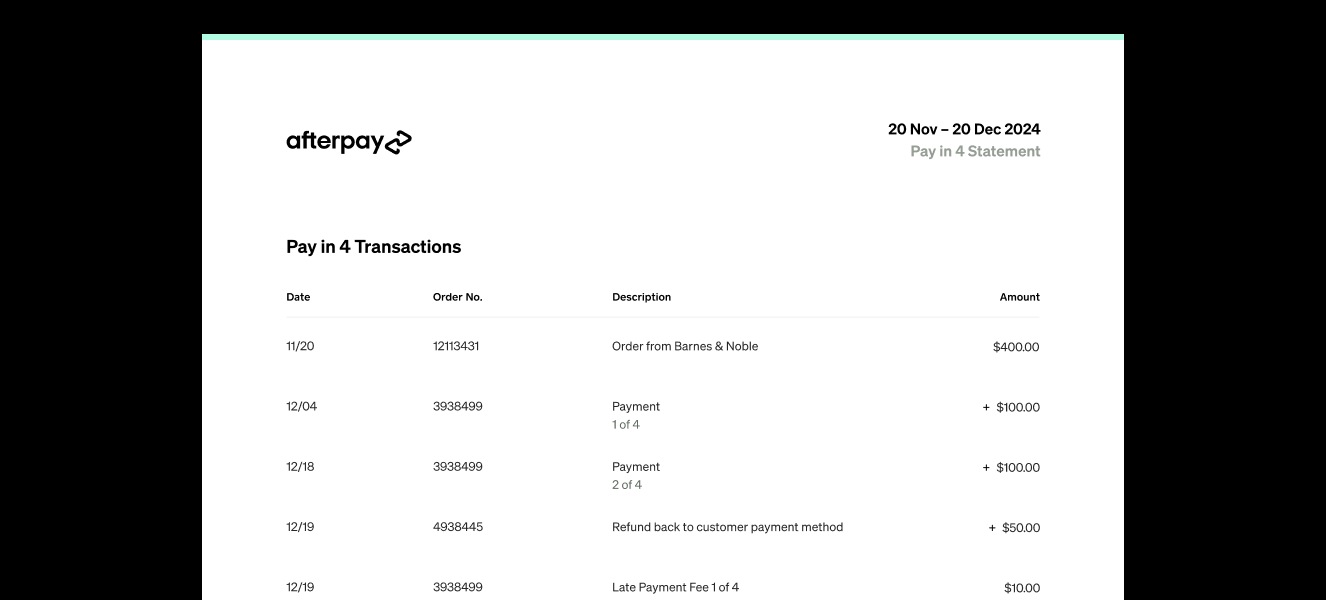
This section lists your credits and debits in date order, including orders, payments, and refunds applied to your orders. Applicable finance fees appear in the Amount column.
Refunds returned to your nominated payment method appear on a separate page titled Refunds back to your payment method.
Pay in 4 fees
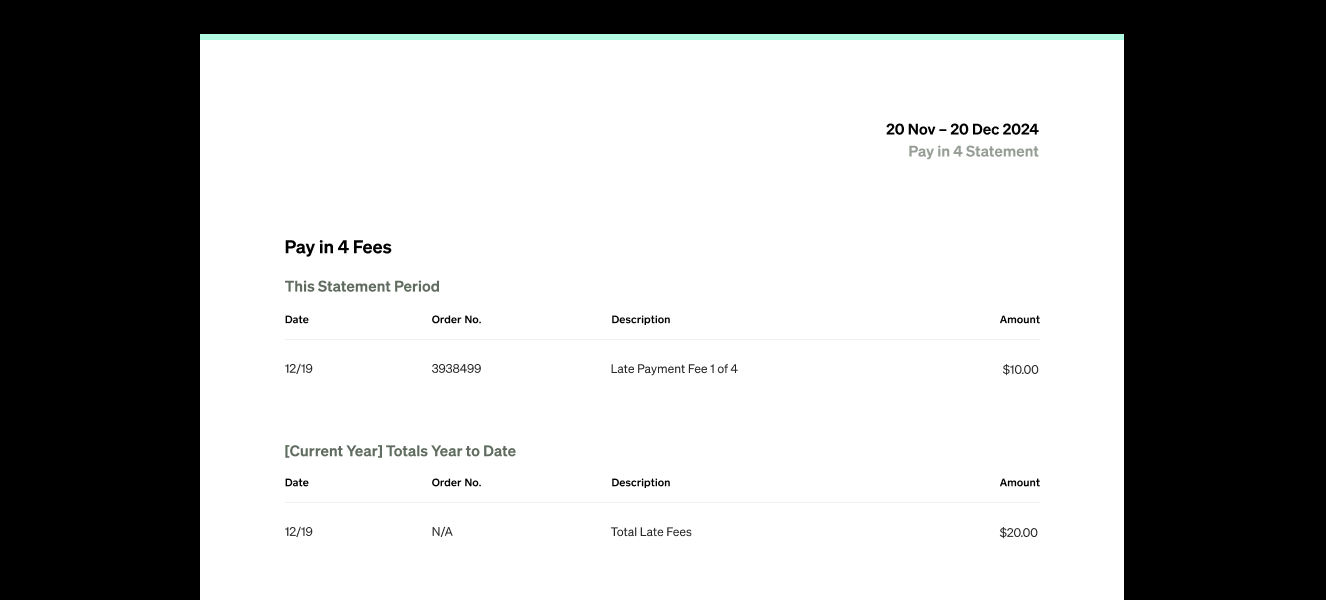
This section itemizes any Pay in 4 finance fees or late fees applied during the billing period. It also shows the year-to-date total of fees charged to your account.
The section remains visible when you have no late fees and displays Nothing To Display.
Pay Monthly interest
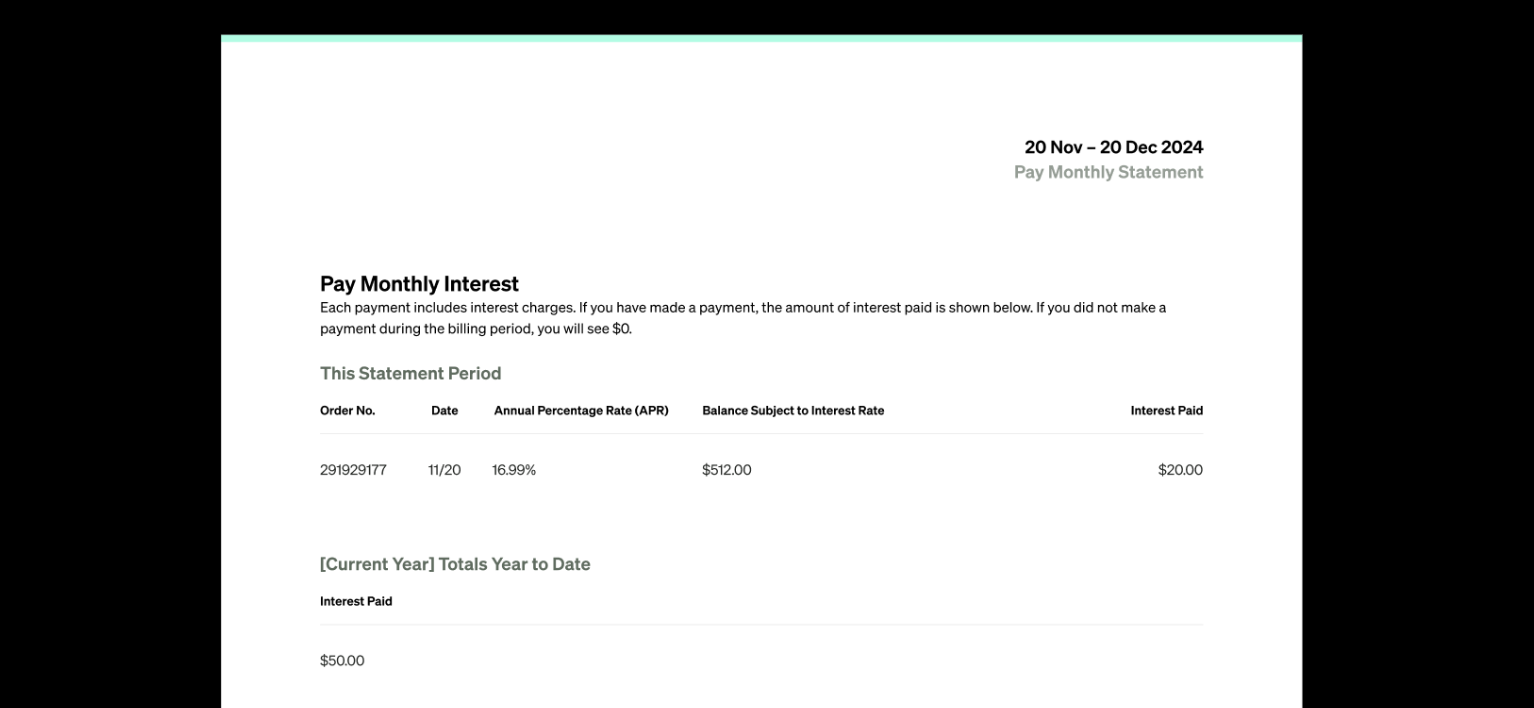
This section shows the interest accrued during the statement period and the year-to-date total of interest charged. If you didn’t make a Pay Monthly payment during the billing period, the statement-period total will show $0.
Other information
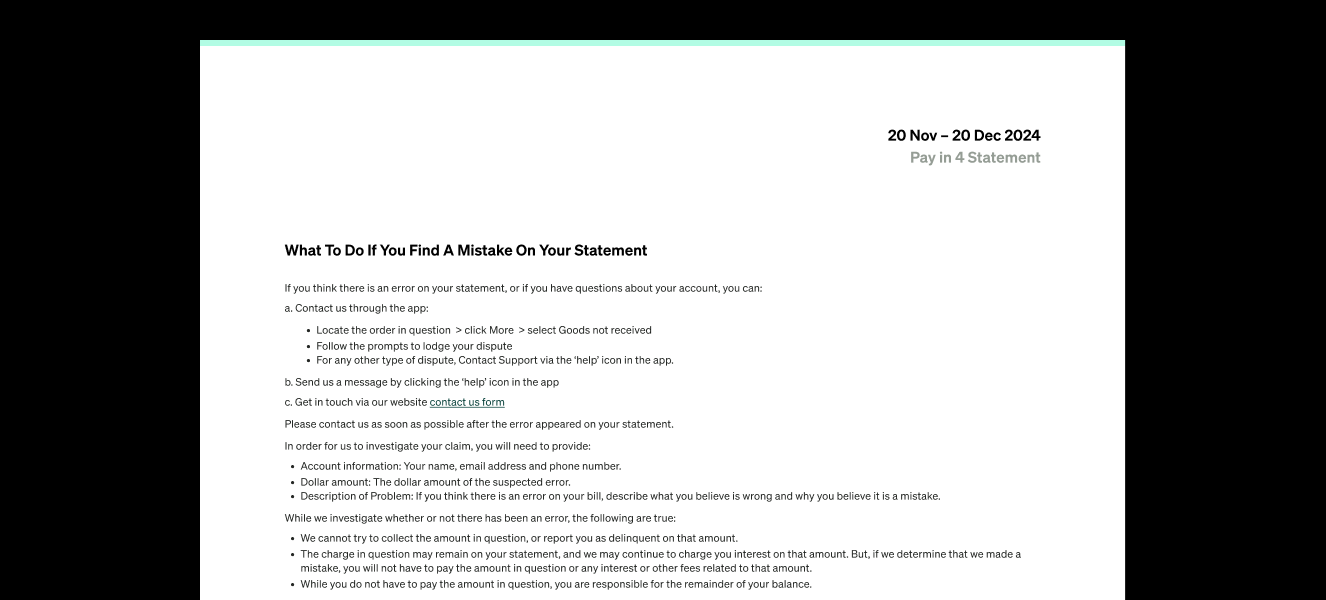
This section explains how to report a possible error and contact Afterpay with questions about your statement.
It also summarizes your rights if you’re dissatisfied with a purchase made using your Afterpay account.
Unusual withdrawal notice
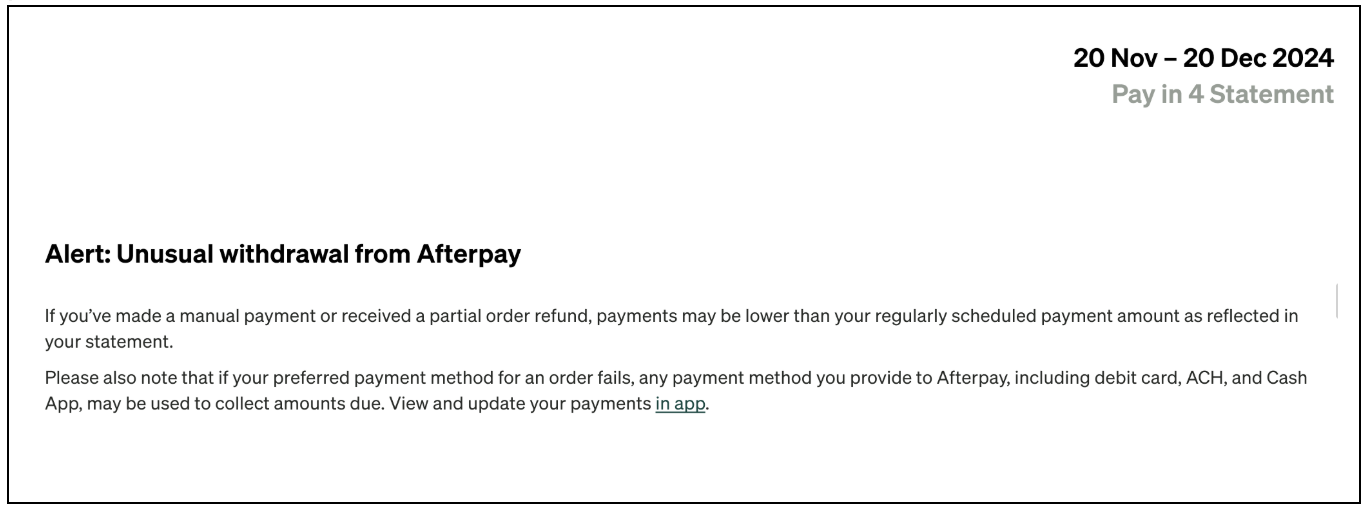
This notice explains that your payments may be lower than the amounts shown on your statement if you made a manual payment or received a partial refund.
It also explains that if your preferred payment method is declined, Afterpay may attempt the payment again using another payment method you provided.