Your Afterpay Merchant Credentials, consisting of your Merchant ID and Secret Key, are critical for integrating Afterpay into your Shopify store. These credentials can be managed, including accessed, viewed or permissions granted to other users to use the keys, through the Afterpay Business Hub. For security reasons, only authorised users with Hub Admin permissions can view or access these credentials.
Action:
Please follow the below steps:
Log in to your Afterpay Business Hub admin account
Note: If you don’t have a Hub Admin account or need to nominate an admin, contact the Merchant Admin Team for assistance.
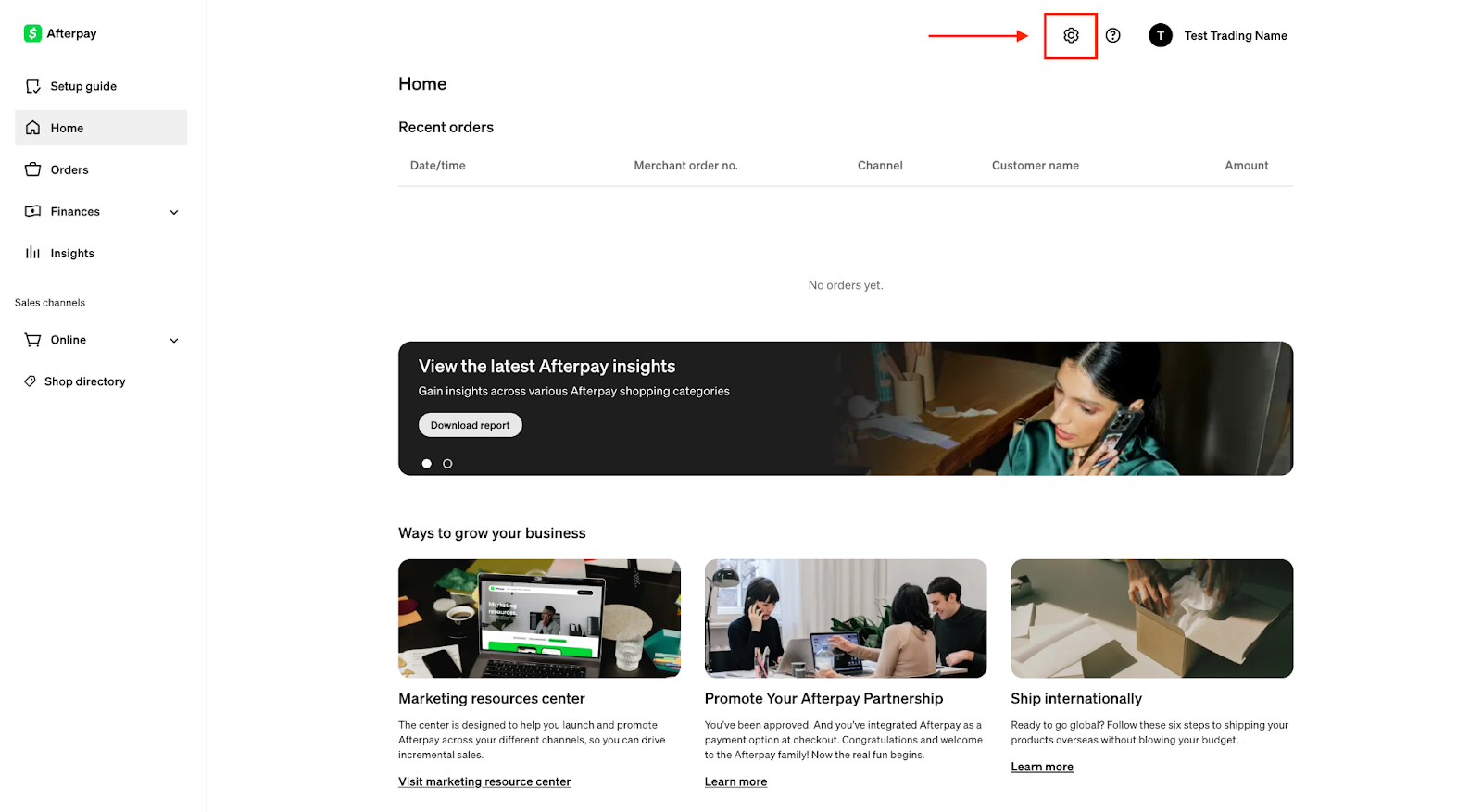
Navigate to the 'Settings' Section
Once logged in, select Settings in the lefthand sidebar menu. Please refer to the screenshot for guidance:
Locate Your Merchant Credentials
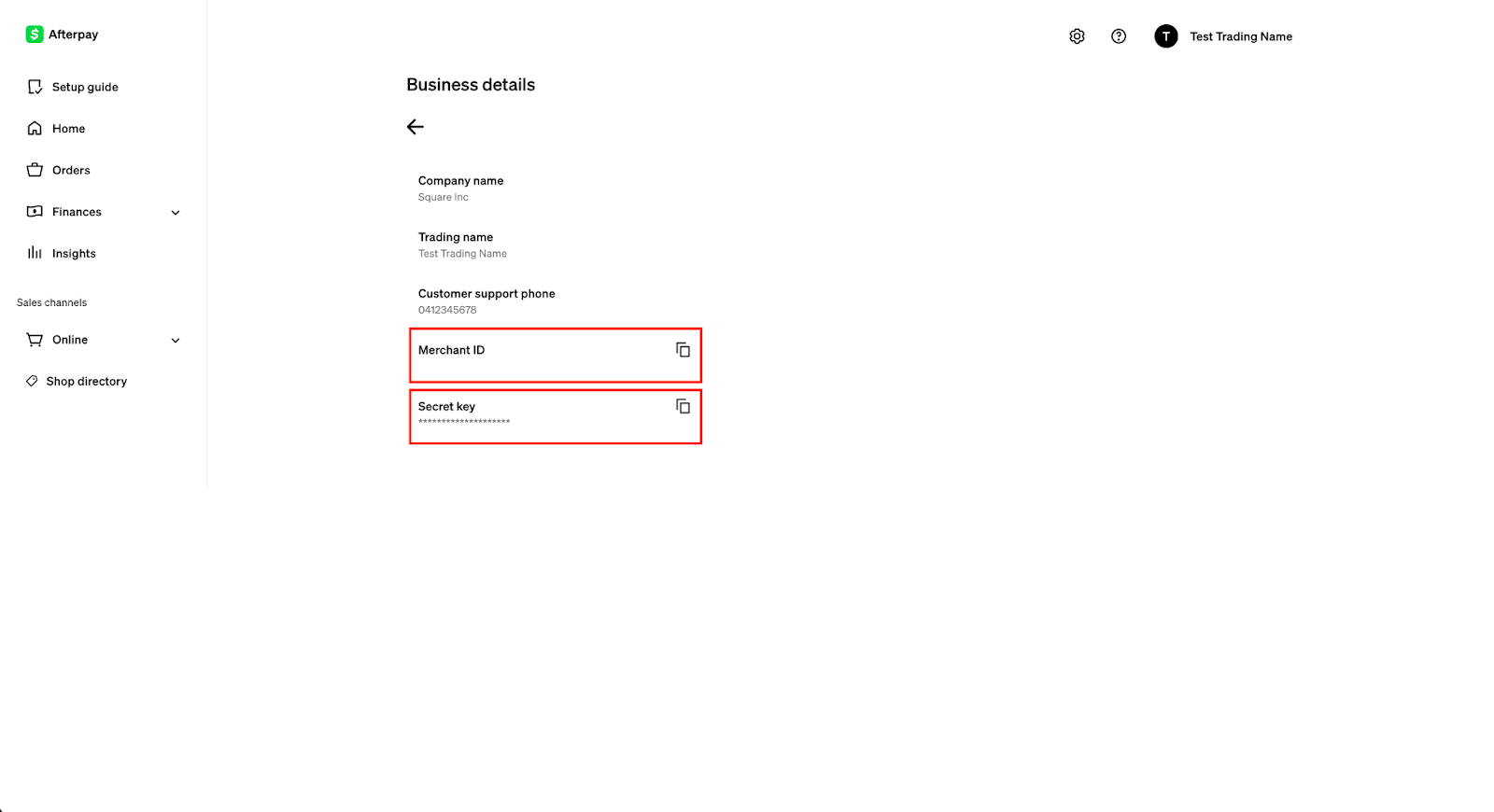
Under Settings, please find the section displaying your Merchant ID and Secret Key.
These are the credentials you will need to integrate Afterpay into your Shopify store. Please refer to the screenshot below:
Important Notes:
If you need access to the Afterpay Business Hub to view or access the Merchant ID and Secret Key, please reach out to your nominated Afterpay Hub Admin to grant you user access. If you do not have a nominated Afterpay Hub Admin, please follow the steps to gain access here.