Explanation:
Knowing your current Afterpay Magento extension version is crucial for maintaining compatibility, accessing the latest features, and troubleshooting issues. There are several methods to check your installed version, depending on your access level and technical expertise.
Please refer to the Action section to further understand and resolve the challenge.
Action:
Via Composer
Navigate to Magento root directory
Run command: composer show afterpay/magento2
Version information will be displayed
Magento Admin Portal
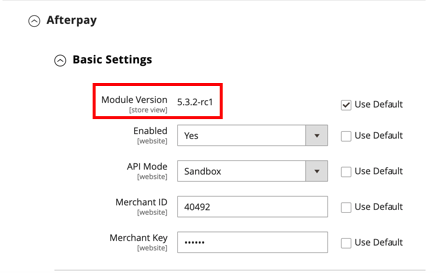
Login to Adobe Commerce Admin and go to Stores → Configuration → Sales → Payment Methods → Afterpay (scroll down).
Click Basic Settings
Related Links: